

If your Facebook ads are getting clicks but no sales, the clicks are not proof that the campaign is working—or that Meta is sending the right people. The leak may sit between the impression and the website, inside the campaign objective, in broken tracking, on the landing page, in the offer, or at checkout.
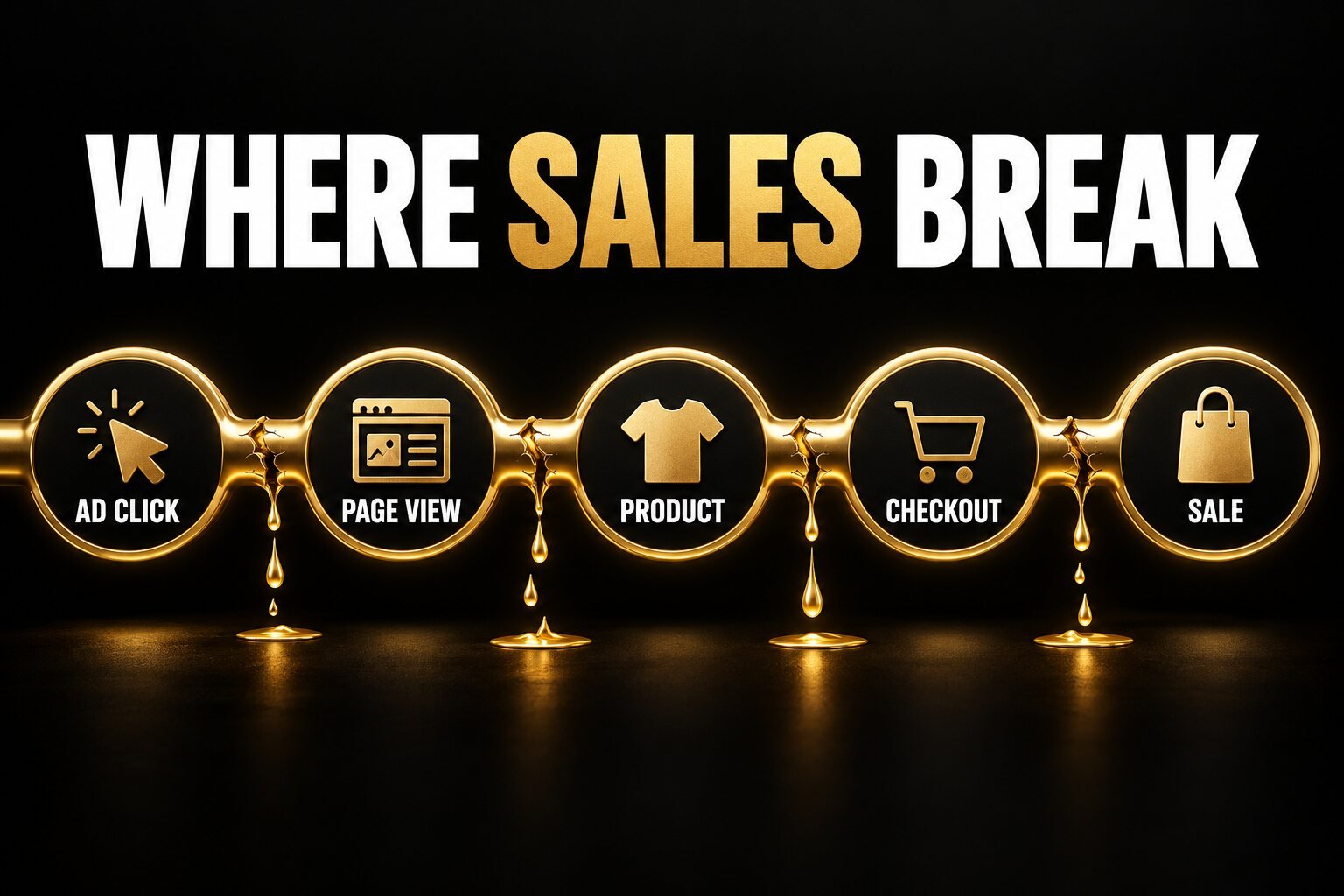
The fastest way to solve the problem is to stop treating “no sales” as one issue. Compare each stage of the journey: ad impression → link click → landing-page view → product or service engagement → add to cart or qualified lead → checkout → purchase. The first abnormal drop usually tells you what to fix. This 2026 guide gives you a practical diagnosis and 12 focused actions.
Why Clicks Do Not Automatically Mean Buying Intent
Meta can optimise delivery toward different outcomes. A person likely to click is not necessarily the same person likely to purchase. If you choose a traffic-focused goal or optimise for link clicks, the system is being asked to find visitors. If your real outcome is a website purchase, qualified lead or booked call, the campaign, event and measurement setup need to reflect that outcome.
Meta also distinguishes Clicks (All) from Link Clicks. “Clicks (All)” can include interactions that do not take someone to your website. Even a Link Click is not the same as a fully loaded page. Meta’s guidance says landing-page-view optimisation is designed to find people likely to click and let the destination page load, which is why Landing Page Views are usually a better traffic-quality check than raw clicks.
Find the Leak Before You Change the Ads
| What you see | Most likely area to inspect | First check |
|---|---|---|
| Many Clicks (All), few Link Clicks | Metric interpretation or low-intent engagement | Break out Link Clicks, Outbound Clicks and Landing Page Views |
| Many Link Clicks, few Landing Page Views | Page speed, redirects or accidental clicks | Test the final URL on real mobile connections |
| Landing Page Views, no product activity | Message mismatch, weak offer or confusing page | Compare the ad promise with the first screen of the page |
| Adds to cart, few checkouts | Price, shipping, trust or cart friction | Review total cost and checkout experience |
| Checkouts, no recorded purchases | Payment problem or tracking error | Complete a test order and inspect Purchase events |
| Website shows sales, Ads Manager does not | Pixel, Conversions API or attribution | Compare order IDs, event diagnostics and attribution windows |
12 Fixes for Facebook Ads Getting Clicks but No Sales
1. Compare Link Clicks, Outbound Clicks and Landing Page Views
Start with the correct columns in Ads Manager. Clicks (All) may include profile visits, reactions or other interactions. Link Clicks are more specific, but Landing Page Views show that the destination loaded while tracking was available. Add website sessions from your analytics platform as an independent comparison.
If Link Clicks are much higher than Landing Page Views, do not immediately change the audience. First inspect mobile speed, redirect chains, cookie or consent behaviour, broken URLs, in-app browser compatibility and accidental clicks. A beautiful ad cannot convert a page that fails to load.
2. Choose an Objective and Performance Goal That Match the Sale
Meta asks advertisers to select an objective based on the desired business result. Its objective selection guidance includes Sales for sales-focused outcomes and Traffic for visits. If the business needs purchases, optimising indefinitely for cheap clicks can teach the system to find clickers rather than buyers.
Where the account has trustworthy purchase data, optimise toward the Purchase event. A very new or low-volume account may need a measured testing plan, but do not choose a shallow event simply because it produces a cheaper dashboard number. The optimisation event should be as close as practical to real business value.
3. Verify the Meta Pixel and Purchase Event
The Meta Pixel records browser-side website activity. Use Events Manager and a complete test purchase to confirm that ViewContent, AddToCart, InitiateCheckout and Purchase fire on the correct actions—not merely when a button is clicked or a thank-you page is refreshed.
- Confirm Purchase fires only after a successful transaction.
- Check value, currency, content IDs and order identifiers.
- Make sure the event is attached to the data source used by the ad set.
- Review warnings and diagnostics rather than assuming installation equals accuracy.
- Test on mobile and desktop, with the same consent experience customers see.
4. Use Conversions API Correctly—and Deduplicate Events
Meta describes the Conversions API as a direct connection between marketing data and its optimisation systems. Meta recommends using it alongside the Pixel where appropriate. This can make event sharing more resilient, but a server-side setup does not automatically make inaccurate data accurate.
If the browser and server send the same event, they must be deduplicated with matching event information. Otherwise, one purchase can look like two. Follow Meta’s Pixel and Conversions API deduplication guidance, then verify event matching and diagnostics after implementation.
5. Measure Attribution Without Treating One Dashboard as Absolute Truth
Ads Manager, an analytics platform and your e-commerce or CRM system may attribute the same customer differently. Meta can credit conversions within the ad set’s attribution setting, while last-click analytics may give credit to a later channel. That does not mean one platform is necessarily “lying”; they are answering different measurement questions.
Use Meta’s attribution comparison tools to examine click-through and view-through results, then reconcile orders or leads in your source-of-truth system. Add UTMs to ad URLs and compare revenue, qualified leads and order IDs—not just reported purchases.
6. Fix Mobile Loading Speed and Technical Friction
Most social traffic arrives on mobile and often opens inside an app browser. Test the exact final URL on a real phone using ordinary mobile data. Check the first meaningful content, sticky pop-ups, cookie banners, broken scripts, oversized images, layout shifts and whether the main button works without zooming or waiting.
If the site feels dated, unreliable or difficult to use, a quick patch may not be enough. Use this website redesign checklist to decide whether the conversion problem is structural.
7. Match the Landing Page to the Ad Promise
The ad and page should feel like one continuous conversation. Repeat the same product, audience, offer and primary benefit above the fold. If an ad promises a specific package, discount, turnaround time or outcome, the destination must explain it immediately. Do not make visitors search the site for the item that attracted the click.
A landing page should answer: What is this? Who is it for? Why should I trust it? What does it cost or what happens next? What action should I take? Review these landing-page mistakes that reduce conversions and improve the page before buying more traffic.
8. Strengthen the Offer, Not Just the Ad
A high click-through rate can mean the creative is interesting, but the offer still fails after the click. Compare the total customer value—not only the headline price—with realistic alternatives. Inspect shipping, delivery time, minimum commitments, guarantees, bonuses, financing, availability and whether the buyer understands exactly what is included.
For a service business, replace vague invitations such as “Learn more” with a specific next step and clear expectation. For e-commerce, show product details, variants, returns and total cost before the final checkout stage. A discount is not the only solution; clarity and reduced risk can be more persuasive.
9. Make the Creative Attract Buyers, Not Curiosity Clicks
Some ads earn inexpensive clicks because they are entertaining, sensational or too broad. The creative should pre-qualify the visitor. State the product category, relevant audience, core benefit and—when useful—a price, location or eligibility condition. This can reduce unqualified clicks even if the click-through rate falls.
Test different concepts, not only button colours. Compare product demonstration, problem–solution, testimonial, founder explanation and offer-led creative. Build formats for the placements where they appear. Our guide to social media ad design that earns attention and action explains how message hierarchy and format affect response.
10. Improve Audience Intent and Exclusions
An audience can be large and still lack purchase intent. Separate prospecting from retargeting so you can see what each is doing. Exclude recent buyers where repeat purchases are not the goal. Check age, location, language and delivery breakdowns for pockets of clicks that never progress.
Do not overreact by layering dozens of narrow interests. Meta’s delivery systems can work with broad audiences when conversion data and creative are strong. The goal is not the narrowest audience; it is a testable audience aligned with the offer, conversion event and budget.
11. Add Trust and Remove Checkout Friction
Social visitors may be discovering the business for the first time. Give them enough evidence to feel safe: consistent branding, genuine reviews, clear contact details, secure payment cues, delivery and return information, accurate product imagery and an accessible privacy policy. Avoid fake scarcity or unsupported claims.
Complete the purchase yourself on several devices. Test guest checkout, coupon fields, address validation, shipping calculations, local taxes, payment methods, error messages and confirmation emails. If an online shop needs a deeper conversion review, explore professional e-commerce and business setup support.
12. Test One Major Variable at a Time
Changing creative, audience, budget, offer and landing page together makes the result impossible to explain. Write a hypothesis before each test: “The product page is losing mobile visitors because delivery cost appears too late.” Choose the metric that can confirm or reject it, then keep unrelated variables stable where practical.
Judge the test using funnel maths and business economics. If 1,000 landing-page views produce 50 adds to cart, 20 checkouts and two purchases, the biggest percentage loss may not be the ad. Work from contribution margin and an acceptable cost per sale or qualified lead; there is no universal CTR or conversion-rate benchmark that makes every business profitable.
A 30-Minute No-Sales Audit
- Open Ads Manager and add Link Clicks, Outbound Clicks, Landing Page Views, Add to Cart, Checkout, Purchase, value and cost columns.
- Compare Landing Page Views with analytics sessions and inspect the largest discrepancy.
- Complete one real test purchase or lead submission on mobile.
- Confirm the event, value and order or lead data in Events Manager and the source-of-truth system.
- Read the ad and first screen of the landing page side by side.
- Review delivery, audience and placement breakdowns for clicks that never progress.
- Select one high-confidence fix and define how long or how much data the test needs.
Frequently Asked Questions
Should I pause Facebook ads if I have clicks but no sales?
Pause or reduce spend when tracking is broken, checkout is failing, the offer is unavailable or spend has passed a pre-agreed loss limit without meaningful progress. If the funnel is functioning and the sample is still too small, diagnose carefully before making several changes at once.
Is a high click-through rate a good sign?
It shows that the ad earns clicks relative to impressions, but not why people clicked or whether those clicks were profitable. Evaluate Landing Page Views, on-site behaviour, lead quality, purchases, revenue and margin alongside click-through rate.
How many clicks should produce a sale?
There is no reliable universal number. Price, category, traffic temperature, device, market, brand trust and purchase cycle all change the answer. Build an expected funnel from your own site-wide conversion rate and margin, then update it with campaign-specific data.
Does Conversions API guarantee more sales?
No. It can improve the reliability of event sharing and give Meta better signals when implemented correctly, but it cannot fix a weak offer, poor creative, slow page or broken checkout. It is measurement infrastructure, not a sales guarantee.
Turn Clicks Into a Diagnosable Sales System
When Facebook ads are getting clicks but no sales, do not assume the ad is the only problem. Find the first weak step, correct the measurement, match optimisation to the real outcome, remove page and checkout friction, then test one major hypothesis at a time. That process produces useful learning even before it produces scale.
The Visual Spark connects campaign strategy with the creative, copy and website experience needed after the click. Explore our digital marketing services, strengthen your messaging through content and copywriting, view all creative services or contact us for a practical conversion review.
Leave A Comment