
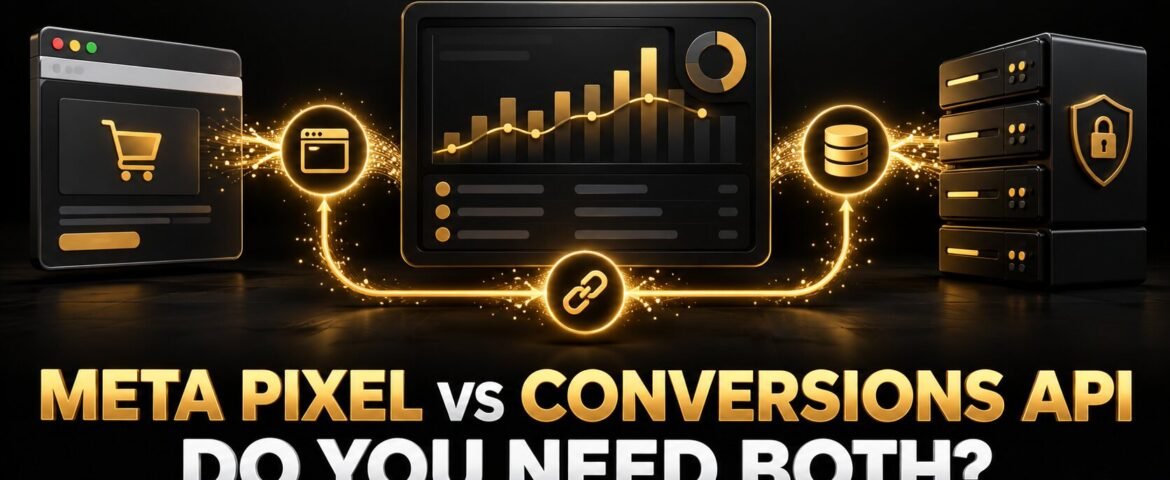
Meta Pixel vs Conversions API is not usually an either-or decision. The Meta Pixel sends website events from a visitor’s browser. Conversions API sends events from a server, commerce platform, CRM or another controlled data source. For many website advertisers in 2026, a correctly deduplicated setup using both provides more resilient measurement than relying on either connection alone.
That does not mean every business should install everything immediately. The right setup depends on campaign goals, website platform, event volume, technical resources, consent requirements and the actions that actually create revenue. This guide explains the difference, when both help and how to avoid duplicate or non-compliant data.
Meta Pixel vs Conversions API: Quick Comparison
| Feature | Meta Pixel | Conversions API |
|---|---|---|
| Connection | Browser to Meta | Server, platform or CRM to Meta |
| Typical data source | Website page and browser activity | Website server, commerce platform, CRM, app or offline system |
| Common events | PageView, ViewContent, AddToCart, Lead, Purchase | The same web events plus later-stage or offline outcomes where appropriate |
| Main strength | Fast browser context and straightforward website implementation | More controlled event sharing and resilience when browser signals are unavailable |
| Main limitation | Affected by browser conditions, blockers, connectivity and consent choices | Requires accurate server logic, data governance and maintenance |
| Best practice | Use accurate events and consent controls | Use with Pixel where appropriate, then deduplicate shared events |
What Is the Meta Pixel?
The Meta Pixel is JavaScript added to a website to record visitor activity. The base code loads the Pixel, while standard or custom events describe actions such as viewing a product, submitting a lead form, adding an item to the cart or completing a purchase.
Pixel data can support reporting, audience creation and ad-delivery optimisation. It also captures browser context that can help connect an ad interaction with a later website action. Because it runs in the browser, however, the event may be unavailable when JavaScript does not run, a request is blocked, the page closes early, consent has not been granted or implementation breaks.
The Pixel is useful for:
- Website page and content-view events.
- Browser actions such as form submissions and cart activity.
- Building eligible website audiences.
- Testing the customer journey in Events Manager.
- Supplying immediate browser-side conversion signals.
What Is Meta Conversions API?
Meta describes Conversions API as a direct connection between an advertiser’s marketing data and Meta’s systems. Events can be sent from a website server, e-commerce platform, customer data platform, CRM or another supported source rather than depending entirely on a browser request.
For an online shop, the server can confirm that an order genuinely completed and share the correct value, currency and order information. For a service business, a CRM may later report that a website enquiry became a qualified lead or customer. These deeper outcomes can be more useful than optimising toward every form submission equally.
Conversions API is not a privacy bypass. The business remains responsible for lawful data collection, consent where required, transparent notices, Meta’s terms and restrictions on the information sent. Server-side does not mean permission-free.
Conversions API is useful for:
- Confirming server-side purchases or lead submissions.
- Sharing qualified-lead and customer outcomes from a CRM.
- Improving the resilience of event delivery.
- Providing accurate value, currency, content and order parameters.
- Connecting online ads with permitted offline business outcomes.
Does Your Business Need Both?
For many businesses running website conversion campaigns, the answer is yes, when the implementation can be maintained properly. Meta’s Conversions API best-practice guidance recommends using Conversions API alongside the Pixel and sharing the same events through both where appropriate. Meta calls this a redundant event setup.
The two connections can complement each other:
- The Pixel provides browser context and immediate website activity.
- Conversions API provides a controlled server or platform connection.
- Matching information can help Meta recognise that two signals describe the same action.
- CRM or offline events can feed deeper quality outcomes that the browser cannot know.
More connections do not automatically mean better data. If a Purchase event fires at add-to-cart stage, or the server reports cancelled orders as completed revenue, the system becomes confidently wrong. Accuracy, consent and event design matter more than the number of tools installed.
The Most Important Technical Concept: Deduplication
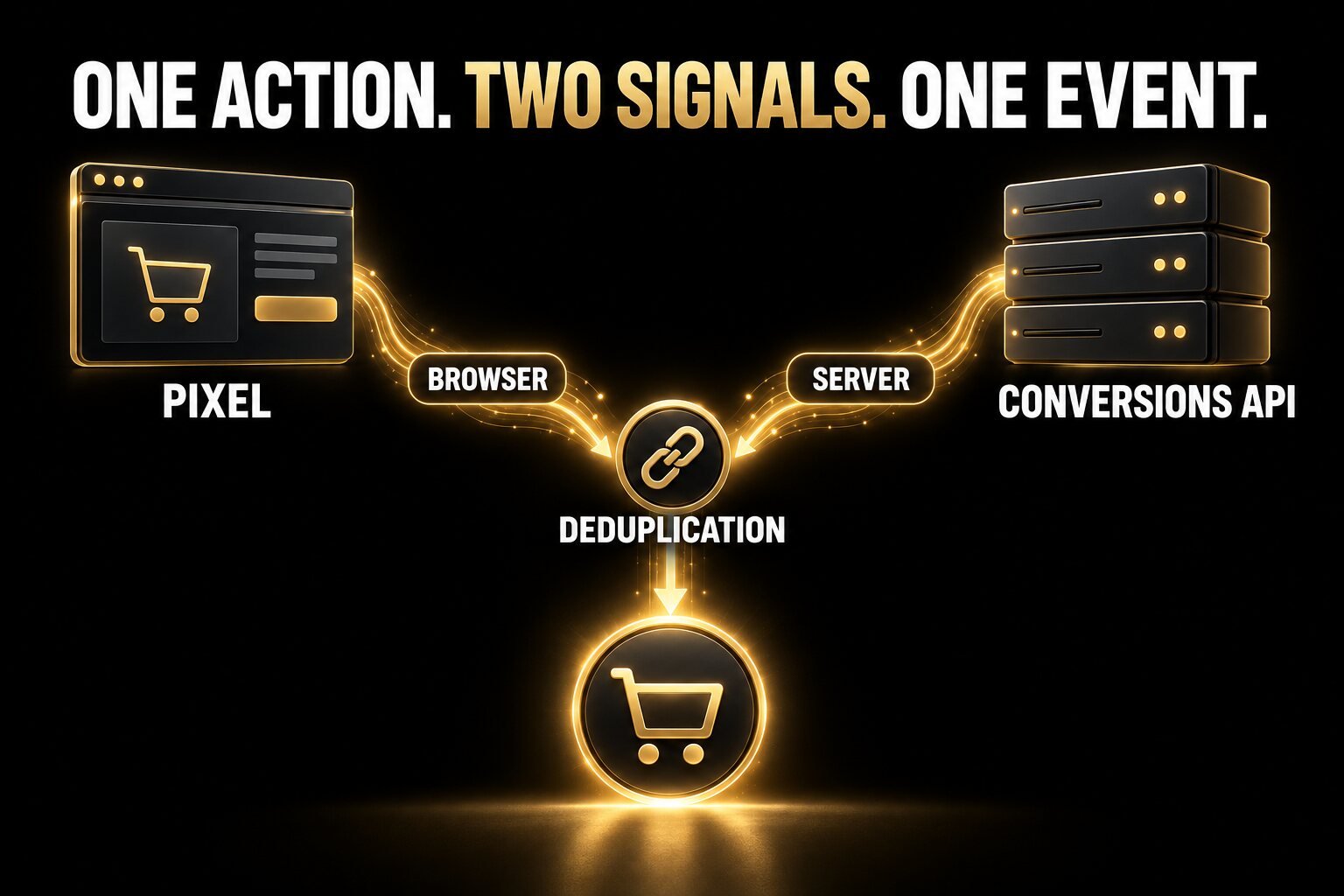
If the Pixel and Conversions API both send the same Purchase, Lead or other event, Meta needs to identify them as one business action. Without deduplication, one order may appear as two purchases, inflating reported revenue and misleading optimisation.
Meta’s deduplication guidance explains how browser and server events should use matching event information. In a standard implementation, the same event name and event ID are sent from both sources for the same action. Meta can then keep one event rather than count the duplicate.
| Order action | Browser event | Server event | Expected result |
|---|---|---|---|
| Customer completes order 8472 | Purchase + event ID 8472 | Purchase + event ID 8472 | One deduplicated Purchase |
| Customer completes order 8473 | Purchase + event ID A | Purchase + event ID B | Possible duplicate Purchase |
| Customer reaches checkout only | Purchase fires too early | No confirmed order | False purchase signal |
Do not copy this simplified example blindly into code; use unique identifiers and the current documentation for your integration method. After launch, inspect Events Manager rather than assuming a plugin handled deduplication correctly.
Which Events Should You Send?
Start with the events that map to the customer journey and can be verified. Meta’s Pixel event reference includes standard events such as ViewContent, AddToCart, InitiateCheckout, Lead and Purchase.
| Business type | Useful journey events | Primary outcome |
|---|---|---|
| Online shop | ViewContent → AddToCart → InitiateCheckout → Purchase | Purchase with correct value and currency |
| Service business | PageView → ViewContent → Contact or Lead | Qualified lead or booked consultation where available |
| Subscription product | ViewContent → StartTrial → Subscribe | Paid subscription or retained customer |
| High-value sales process | Lead → qualified opportunity → closed customer | CRM-confirmed revenue or customer status |
Do not label a page view as a lead or a checkout button click as a purchase. Optimisation follows the event definition you provide, not the business meaning you intended.
A Safe Implementation Plan
1. Map the customer journey before installing tools
Write down each meaningful action, where it happens, which system confirms it and whether it should influence bidding. Decide which events are primary business outcomes and which are diagnostic steps.
2. Define consent and data-governance rules
Work with appropriate legal or privacy expertise for the countries you serve. Configure the consent platform and event logic to honour applicable requirements. Document which customer information may be shared, why it is needed and how deletion or preference requests are handled. This article is technical marketing guidance, not legal advice.
3. Choose a supported Conversions API setup
Meta offers different setup paths, which may include a partner integration, Conversions API Gateway or a direct developer implementation. Compare the current options in Meta’s Conversions API setup guide. Choose the method that the business can keep updated, test and troubleshoot.
For WordPress or WooCommerce, a reputable first-party or platform-supported integration may reduce development time, but plugin installation is not the end of the project. Confirm the correct data source, domain, event definitions, value, currency, content IDs and deduplication.
4. Send consistent event parameters
Browser and server events should describe the same action consistently. For commerce, verify purchase value, currency, content or product IDs and order identifier. For leads, distinguish a form submission from a sales-qualified lead where the CRM can support that difference.
5. Test every event end to end
Use Events Manager and a real test journey. View a product, add it to the cart, begin checkout and complete a test order. Confirm that each event appears once, in the correct order, with the expected source and parameters. Test form errors, refunds, duplicate thank-you-page loads and repeat visits.
6. Monitor after website or checkout changes
Theme updates, new forms, checkout plugins, payment gateways, consent changes and domain migrations can break tracking. Add measurement checks to every site release. If the website itself needs a wider technical review, use this website redesign checklist.
Common Pixel and Conversions API Mistakes
- Double-counting events: Browser and server events use different or missing event IDs.
- Firing Purchase too early: The event triggers on a button click rather than a confirmed payment.
- Sending the wrong value: Revenue includes the wrong currency, tax, shipping or duplicate order.
- Optimising for shallow events: Page views or every form submission are treated as equal to customers.
- Ignoring consent: Server-side data is sent without respecting applicable user choices.
- Using weak matching data: Available permitted fields are inconsistent, incorrectly formatted or missing.
- Trusting a plugin by default: No one verifies diagnostics or a real transaction.
- Never reconciling orders: Ads Manager purchases are not compared with the shop or CRM.
If the campaign receives clicks but revenue is missing, do not blame tracking or ads without checking the full journey. Use our guide to Facebook ads getting clicks but no sales to diagnose objective, creative, page, offer and checkout issues.
How to Know Whether the Setup Is Working
- Test events arrive from the intended browser and server sources.
- Shared web events show evidence of successful deduplication.
- Purchase counts, values and currencies reconcile with real orders.
- Lead counts reconcile with forms and the CRM.
- Diagnostics are reviewed and material warnings are resolved.
- Campaigns optimise toward outcomes that correspond to real value.
- Consent and privacy behaviour works across relevant countries and devices.
Do not aim for a dashboard badge at the expense of truthful measurement. The goal is reliable business data. Better event matching is useful only when the matched event is accurate and permitted.
Frequently Asked Questions
Can Conversions API replace the Meta Pixel?
It can send events without depending on the browser, but Meta commonly recommends using it alongside the Pixel for website events. The Pixel supplies useful browser context, while Conversions API provides a separate controlled connection. Special systems may use different architectures, so follow the current documentation for the data source.
Does Conversions API bypass cookie consent?
No. A server connection does not remove the business’s legal, consent, transparency or platform obligations. Configure data collection and sharing according to applicable law, Meta terms and the user choices your consent system records.
Does every small business need Conversions API?
Not every business needs a complex custom build on day one. A business running meaningful website-conversion campaigns should evaluate it, particularly when an existing platform integration is available. The decision should consider event value, volume, maintenance and data-governance readiness.
Will Pixel plus Conversions API guarantee lower ad costs?
No. More reliable signals can support measurement and optimisation, but results still depend on the offer, audience, creative, landing page, budget and market. Platform tools do not guarantee a specific CPA or ROAS.
Final Recommendation
For most businesses using Meta ads to generate website sales or leads, the strongest Meta Pixel vs Conversions API setup is a verified, consent-aware combination of both. Use the Pixel for browser events, use Conversions API for resilient and deeper business signals, deduplicate shared events and reconcile reporting with real orders or qualified leads.
The Visual Spark helps businesses connect paid-media strategy with WordPress, e-commerce, landing pages and conversion measurement. Explore our digital marketing services, see our e-commerce and business setup support, compare Google Ads vs Facebook Ads, view all creative services or contact us for a practical tracking review.
Leave A Comment