
AI website builder vs professional web designer: which option gives your business the best result? An AI builder can turn a short description into pages, copy and layouts within minutes. A professional designer takes longer, but can research your customers, shape a distinctive brand experience, plan conversion paths and solve requirements that do not fit a standard pattern.
The right choice is not simply “cheap versus expensive” or “new versus traditional”. It depends on the role your website must play, the complexity of the customer journey, the cost of getting it wrong and who will maintain it after launch. This guide gives you a practical framework for choosing confidently in 2026.
AI Website Builder vs Professional Web Designer: The Short Answer
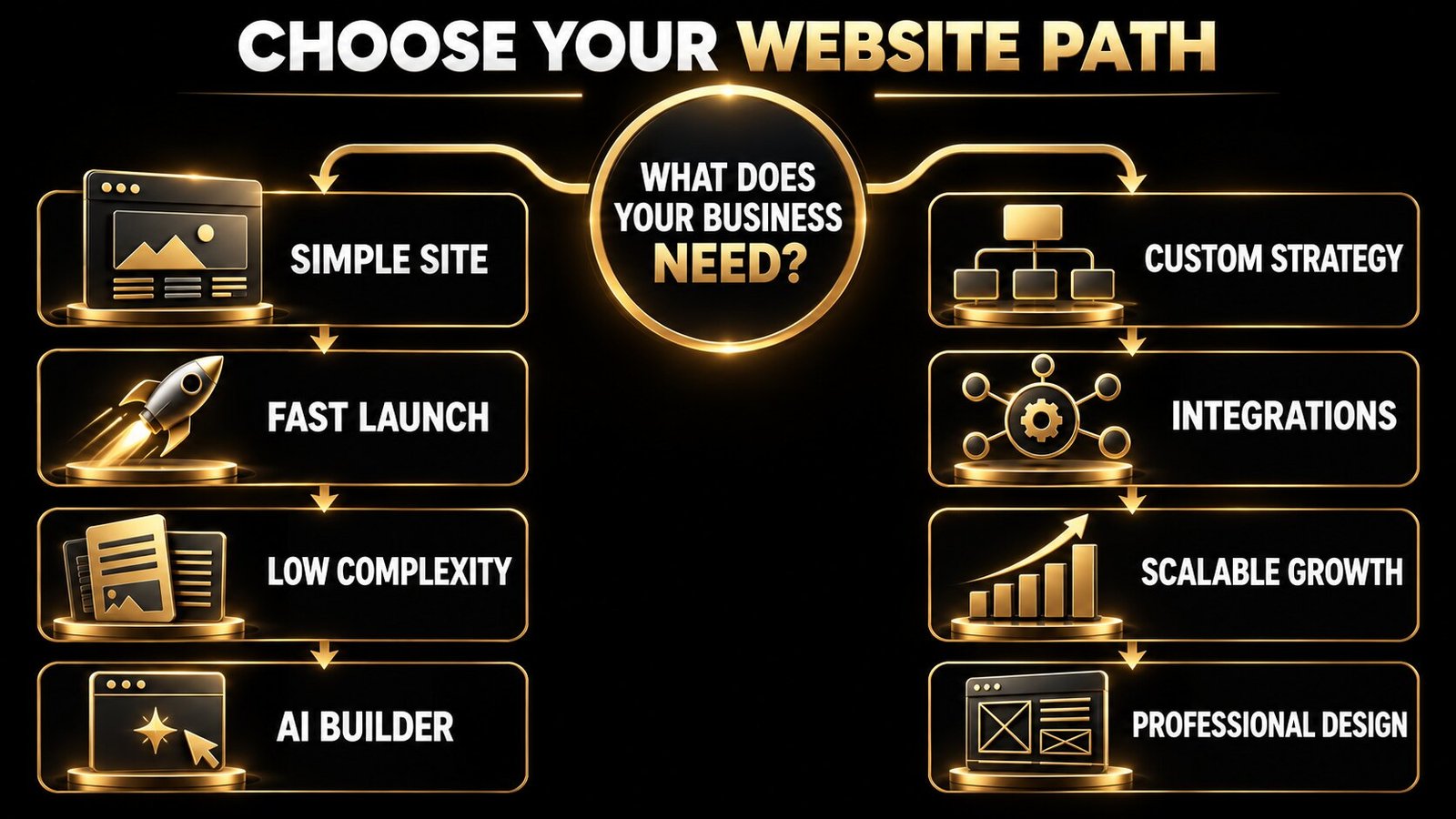
Choose an AI website builder when you need a simple, low-risk website quickly, your content and offer are already clear, and standard features meet your needs. Choose a professional web designer when the website is a core sales channel, the brand must stand apart, the user journey is complex, or the project requires custom integrations, deeper SEO planning and accountable quality control.
A hybrid approach can also work: use AI to accelerate research, first drafts and routine production, while a professional directs the strategy, information architecture, visual system, copy, accessibility, testing and launch.
| Decision factor | AI website builder | Professional web designer |
|---|---|---|
| Launch speed | Often fastest for a basic site | More time for discovery, design and testing |
| Upfront cost | Usually lower | Higher professional investment |
| Distinctive positioning | Depends on your inputs and customisation | Built around brand and audience research |
| Custom functionality | Limited to the platform and available extensions | Can be planned around specific workflows |
| SEO architecture | Tools may be available, but you direct the strategy | Can be planned across structure, content and technical setup |
| Quality assurance | You are responsible for review and testing | A defined professional process can include QA |
| Ongoing control | Easy editing within platform limits | Depends on the chosen CMS and handover |
What Can an AI Website Builder Do in 2026?
Modern AI builders do much more than select a template. They can propose a site structure, generate layouts and draft copy, select images, suggest colours and create pages from a conversational brief. Wix, Squarespace Blueprint AI and the WordPress.com AI Website Builder all present AI as a fast starting point that users can continue editing.
That speed is genuinely useful. A local consultant, new portfolio or small event may only need a few clear pages, contact details and a credible design. If the owner knows the audience and has strong content, an AI builder can remove technical friction and get a useful first version online quickly.
However, “generated” does not mean “finished”. The owner still needs to verify every claim, replace generic copy, check mobile layouts, connect analytics, configure forms, review privacy requirements, optimise images, test accessibility and ensure the site supports the intended customer journey.
What Does a Professional Web Designer Actually Add?
A professional web designer should not merely make the AI output look prettier. The valuable work happens before and around the interface:
- Discovery: understanding the business model, audience, competitors, goals and constraints.
- Information architecture: deciding which pages are needed and how people move between them.
- Conversion planning: aligning offers, proof, calls to action and forms with visitor intent.
- Brand translation: creating a distinctive digital expression of the visual identity.
- Responsive design: controlling hierarchy and interactions across real screen sizes.
- Technical decisions: selecting a suitable CMS, integrations, content model and performance approach.
- Quality assurance: testing links, forms, browsers, devices, accessibility and analytics before launch.
- Handover: documenting how the team can update the site without breaking the system.
When you compare proposals, ask what the process includes. Our breakdown of small-business website costs in 2026 explains why page count alone does not determine the value or workload of a website project.
Eight Questions That Decide Which Option Is Right
1. Is the website a brochure or a business system?
A simple brochure site introduces the business and captures enquiries. A business system may qualify leads, book appointments, sell products, manage accounts, publish a large knowledge base or connect to CRM, payments and operations. Standard builder features can cover many common needs, but complexity raises the value of professional planning.
2. How costly would a weak website be?
If the website is temporary or receives little traffic, an imperfect first version may be acceptable. If paid advertising, partnerships or sales teams will send valuable prospects to it, unclear messaging or broken tracking can waste far more than the initial design saving. Review these landing-page mistakes that reduce conversions before deciding where to economise.
3. Is your positioning already clear?
AI can draft language from the information you provide. It cannot interview your customers or independently decide which differentiator the market will believe. If your offer sounds similar to every competitor, generating more polished copy may simply reproduce the sameness. Strategic brand and message work should come first.
4. Do standard layouts fit the user journey?
Templates are efficient because they solve familiar problems. They work well for predictable structures such as a portfolio, restaurant, simple service site or personal blog. A professional becomes more useful when different audiences need different paths, content relationships are complex or the conversion process needs custom interaction.
5. What level of SEO control do you need?
Many builders provide titles, descriptions, redirects, structured-data features, sitemaps and other useful tools. But tools do not choose a keyword strategy or content architecture for you. Competitive search growth may require research, service-location planning, internal linking, schema decisions, migration safeguards and ongoing content operations. Use our SEO-friendly website design checklist to assess either route.
6. Can your team review accessibility and performance?
A generated page can look attractive and still have unclear focus states, weak contrast, confusing heading order or inaccessible interactions. Automated checks help, but they do not cover every issue. Google’s web guidance recommends both accessible implementation and manual testing. Performance also depends on content choices, image weight, scripts and third-party tools—not only the platform.
7. Will the site need to grow?
List the likely requirements for the next two years: multilingual content, gated resources, ecommerce, advanced forms, user accounts, subscriptions, directories, integrations or hundreds of articles. A cheap launch can become expensive if the platform creates a migration later. Compare long-term platform fit in our WordPress vs Wix guide for small businesses.
8. Who owns the outcome after launch?
With a DIY AI builder, you are the strategist, editor, tester and site manager. That control can be empowering, but your time has a cost. With a professional, clarify support, training, licences, hosting, backups, ownership and what happens when the business needs a new feature.
When an AI Website Builder Is the Better Choice
An AI builder may be the sensible option when most of these statements are true:
- You need a small informational site or portfolio.
- The audience, offer and content are already clear.
- You can work within standard layouts and features.
- You are comfortable editing and testing the site yourself.
- The launch is time-sensitive and the initial risk is low.
- You accept the platform’s hosting, pricing and portability rules.
- You have a plan to replace generic copy and imagery.
Treat the generated result as a structured first draft. Complete the core pages, add real proof, use original photography where it matters, check every form and review the site on several devices before publishing.
When a Professional Web Designer Is the Better Choice
Professional website design is usually the stronger investment when one or more of these conditions apply:
- The site must generate leads or sales at a meaningful scale.
- Your market is competitive and the brand needs to be memorable.
- Several audience groups require different content journeys.
- You need integrations, custom content types or specialised functionality.
- Organic search is an important acquisition channel.
- The project includes a risky redesign or domain migration.
- Accessibility, compliance or internal approvals are significant.
- Your team needs an accountable process and reliable handover.
If the current site already exists, do not rebuild solely because a new tool looks faster. Diagnose the real issues first with this website redesign checklist.
The Hidden Cost of “Build It in Minutes”
Creation time is not the same as launch time. A website also needs approved messaging, accurate service details, original proof, legal pages, domain setup, analytics, search-console verification, conversion tracking, image optimisation, form routing, redirects and testing. These tasks exist whichever tool creates the first layout.
Calculate total cost of ownership rather than the first invoice:
- platform subscription and transaction fees;
- paid apps, plugins, domains and email services;
- your team’s content, editing and troubleshooting time;
- professional help needed for advanced changes;
- the cost of missed enquiries or weak conversion;
- future redesign or migration costs.
An AI builder can still be excellent value. The point is to compare complete outcomes, not a marketing promise against a full professional project.
A Practical Hybrid Approach
Businesses do not have to choose between fully automated and fully manual production. A professional team can use AI to speed up sitemap exploration, content inventories, wireframe alternatives, placeholder copy and routine variations. Human specialists then validate the strategy, write or edit priority messages, create the visual system, configure the CMS and test the live experience.
This approach preserves speed without outsourcing judgement. It is especially useful when budget is limited but the website still supports important sales activity. Define which decisions require expertise and which repetitive tasks can be accelerated.
Use This Website Decision Checklist
Before choosing a builder or designer, write down:
- the primary business goal and conversion;
- the audiences and their top questions;
- the pages and content required for launch;
- essential integrations and tracking;
- brand, accessibility and compliance requirements;
- expected changes over the next two years;
- who will maintain content and technology;
- the realistic total budget and deadline.
Then ask each provider or platform to demonstrate how it will meet those requirements. A useful website is not defined by how it was generated; it is defined by whether customers can understand, trust and act on it.
Frequently Asked Questions
Are AI website builders good for SEO?
They can provide useful SEO controls and a workable technical foundation, but ranking is not automatic. Search performance still depends on demand, content quality, architecture, authority, internal links, page experience and ongoing optimisation.
Can an AI website builder create an online store?
Some platforms can create or support ecommerce, but check product complexity, variants, shipping, tax, payments, inventory, subscriptions and integrations. A simple shop and a custom commerce operation have very different requirements.
Will an AI-built website look generic?
It can if the inputs, imagery and editing are generic. Clear brand rules, original content and careful customisation improve the result. Distinctiveness requires decisions, not just more generated options.
Can I start with AI and hire a designer later?
Yes, but confirm that the platform allows the level of editing, export or migration you may need. Share the existing structure and goals with the designer before investing heavily in content or paid traffic.
How long does professional website design take?
It depends on strategy, page count, content readiness, functionality, feedback and testing. A focused site may take weeks, while a complex platform can take months. A reliable proposal should explain phases, responsibilities and approval points.
Choose the Website Process That Matches the Business
In the AI website builder vs professional web designer decision, speed matters—but so do clarity, trust, conversion and future flexibility. Use an AI builder for a straightforward site when you can confidently direct and review the work. Invest in professional design when the website must differentiate the brand, support complex journeys or produce measurable commercial results.
The Visual Spark plans and builds conversion-focused websites for businesses that need more than a generated starting point. Review our essential business website features, explore our full creative services, or contact us to discuss the right scope for your next website.
Leave A Comment