
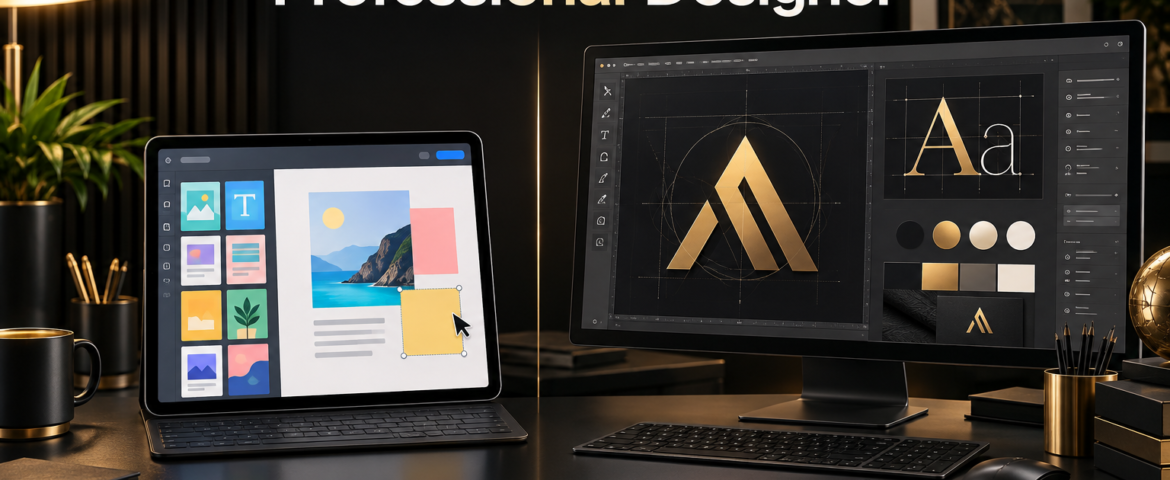
Design tools have made it easier than ever for businesses to create social posts, presentations and simple marketing materials. That accessibility is valuable—but it also creates an important question: in the debate between Canva vs professional graphic designer, which option is right for your business?
The honest answer is that both can be useful. Canva is an efficient production tool, while a professional designer brings strategy, originality and specialised judgment. The best choice depends on what you are creating, how important it is and what stage your business has reached.
Canva and a Graphic Designer Are Not the Same Thing
Canva is a design platform. It provides templates, stock assets, fonts and simple editing tools that help non-designers produce content quickly. A professional graphic designer is a trained creative partner who studies the business problem, develops ideas and builds visual solutions around a specific audience and objective.
This distinction matters. A tool can speed up execution, but it does not automatically provide brand strategy, originality or quality control. At the same time, not every daily post needs a completely custom creative process.
When Canva Is a Good Choice
1. You need simple content quickly
Canva is effective for routine materials such as quote posts, basic announcements, internal presentations, event reminders and simple story updates. Templates reduce production time and make minor edits easy.
2. Your budget is limited
For a new business with very limited resources, Canva can help maintain an online presence while larger brand investments are planned. It is better to use a consistent, carefully selected template system than to publish completely unstructured content.
3. Your team needs editable templates
A designer can create branded Canva templates that staff members update themselves. This hybrid approach preserves professional structure while allowing fast in-house production.
4. The material has low strategic risk
A temporary notice or simple social update usually does not require the same investment as a logo, website campaign or packaging system. Canva works well when the design is useful but not central to the brand’s long-term identity.
The Limitations of Canva Templates
Templates are created for broad use, which means other businesses can use the same layouts, icons and visual ideas. Heavy reliance on popular templates may make a brand look familiar rather than distinctive.
Templates can also encourage people to choose what looks attractive before considering communication goals. Good design requires hierarchy, audience awareness, accessibility and a clear message—not simply decorative elements.
- Popular layouts can make brands look interchangeable.
- Logo and identity work may lack originality and ownership clarity.
- Typography, spacing and visual hierarchy are easy to mishandle.
- One template may not scale across print, web and advertising.
- Stock elements may not match the business position or audience.

When You Need a Professional Graphic Designer
1. You are creating a logo or brand identity
A logo must be distinctive, scalable and connected to a wider brand strategy. A professional designer researches the market, develops original concepts and prepares a complete file system for real-world use. This is very different from selecting a ready-made icon and typing a business name below it.
2. The design will influence buying decisions
Website visuals, advertising campaigns, product packaging and sales presentations directly affect how customers judge value. Professional design can clarify the message, control attention and create the right emotional impression.
3. Your business needs to stand apart
When competitors use similar templates, custom design creates meaningful differentiation. A designer can translate the company’s position, personality and customer promise into visuals that belong to the brand.
4. You need consistency across many channels
Growing businesses need more than isolated graphics. A designer can build a system of colours, typography, imagery, layout rules and templates that works across social media, web, print, presentations and advertising.
5. Technical accuracy matters
Professional print files, packaging, signage and large-format artwork require correct colour modes, bleed, resolution and export settings. Mistakes can cause expensive reprints or inconsistent results.
Canva vs Professional Graphic Designer: Key Differences
Strategy
Canva provides options; a designer decides which visual approach supports the business goal and why.
Originality
Templates begin with a pre-existing structure. Professional design can create a visual solution specifically for your brand, audience and market.
Speed
Canva is usually faster for simple recurring content. Professional work takes longer because it includes discovery, research, concept development and refinement.
Cost
DIY design reduces immediate production cost but uses your time and may require correction later. Professional design costs more upfront but can create reusable assets and prevent expensive inconsistency.
Scalability
A professional designer prepares flexible systems and appropriate file formats. Template-based work may become difficult to adapt when a business expands into new channels.
Creative judgment
Software can offer layouts, but it cannot fully understand subtle market positioning, cultural context or how customers interpret a message. A designer applies experience and judgment to those decisions.
What About AI Design Tools?
AI can accelerate brainstorming, image creation and routine production, but it still benefits from human direction. Without a clear strategy, AI-generated content may look polished while remaining generic, inconsistent or unsuitable for the brand.
Professional designers increasingly use AI and template tools as part of a broader workflow. The value lies not only in operating software, but in choosing the right idea, refining it and ensuring the result supports the business.
The Best Option for Many Businesses: A Hybrid Workflow
You do not always have to choose one option exclusively. A practical system is to hire a professional designer for high-value foundations and use Canva for approved day-to-day content.
- Use a designer for the logo, brand identity and guidelines.
- Ask for custom editable social media templates.
- Use Canva internally for recurring low-risk posts.
- Return to the designer for campaigns, packaging, websites and major launches.
- Schedule occasional brand audits to keep content consistent.
This approach controls costs without sacrificing the quality of important brand assets.
Questions to Ask Before Choosing
- Will this design represent the business for several years?
- Does it need to be original or legally protectable?
- Will it appear in paid advertising or influence a purchase?
- Does it require technical print or production knowledge?
- Can our team apply the brand consistently without guidance?
- What would a weak result cost in lost trust or rework?
If the design carries strategic, financial or reputational importance, professional support is usually the safer choice.
Choose the Process That Matches the Importance of the Work
Canva is a useful tool for speed, accessibility and everyday production. A professional graphic designer is the stronger choice when a business needs strategy, originality, technical accuracy and a visual system that can grow.
The Visual Spark’s graphic designing services help businesses create distinctive visual identities and professional marketing assets. Explore our complete creative services or contact The Visual Spark to discuss a logo, brand system or campaign.
Frequently Asked Questions
Can Canva replace a graphic designer?
Canva can replace some simple production tasks, but it does not replace the strategy, originality and professional judgment required for high-value brand work.
Is Canva suitable for creating a business logo?
It can create a temporary basic mark, but template elements may not be distinctive. A professionally developed logo is more suitable for a long-term brand identity.
Can a graphic designer create Canva templates?
Yes. Custom Canva templates are an effective way to combine professional brand structure with easy in-house editing.
Leave A Comment